What Is Generative UI and Why It Matters for the Future of AI Applications
Artificial intelligence is changing the way people interact with software. For the past few years, most AI applications have been built around chat interfaces. Users type a question, the AI replies with text, and the conversation continues.
But text alone is not always the best interface.
When users need to compare options, submit information, review data, confirm actions, manage workflows, or explore results, a plain chat response can quickly become limiting. This is where Generative UI comes in.
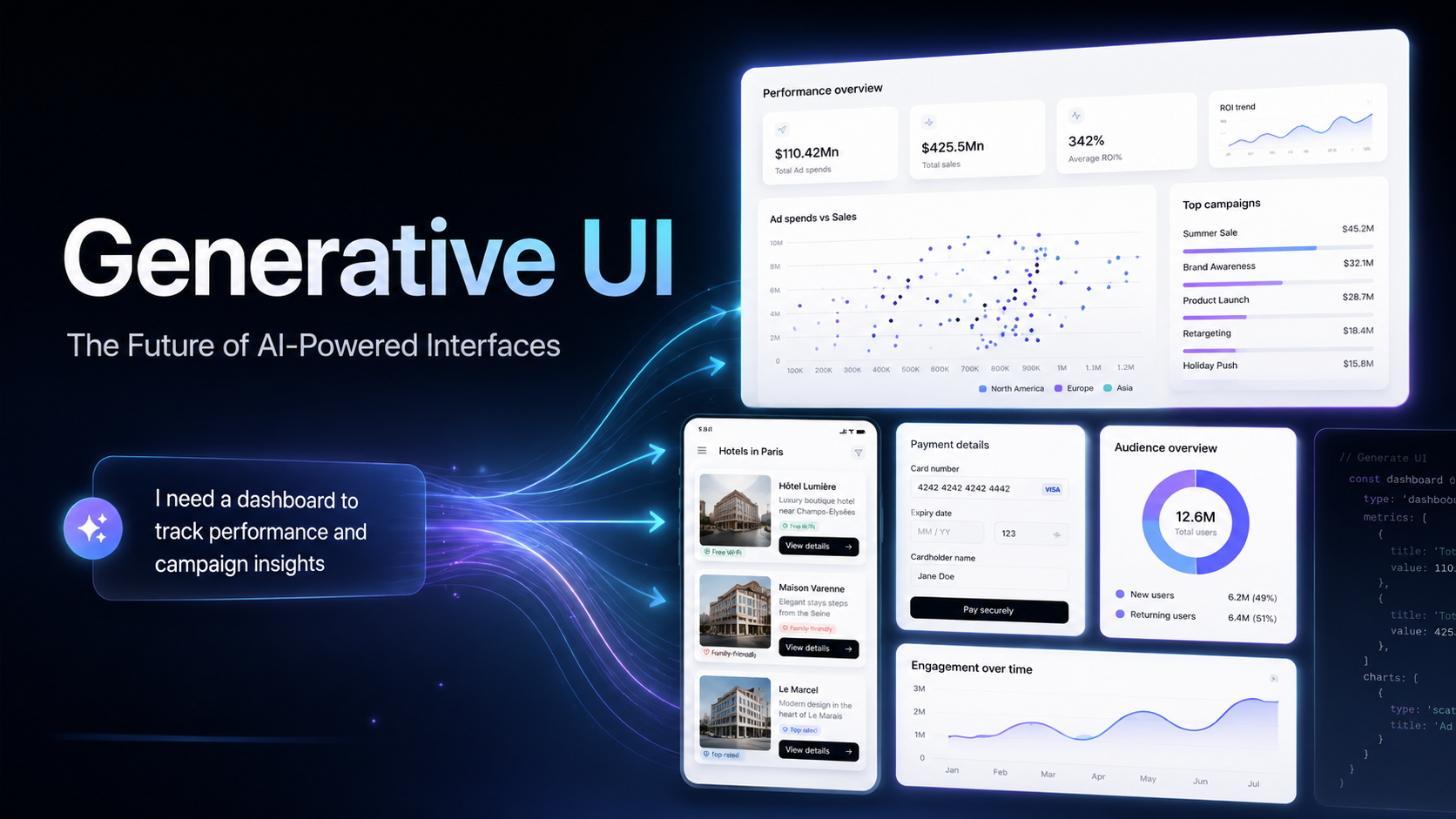
Generative UI is a new approach where AI does not only generate text. It can also generate user interface elements such as cards, forms, tables, charts, buttons, workflows, dashboards, and interactive components based on the user’s intent.
Instead of forcing users to read long text instructions, Generative UI allows AI applications to respond with the right interface at the right moment.
What Is Generative UI?
Generative UI refers to user interfaces that are dynamically created by AI based on context, user intent, available data, and the task being performed.
In a traditional application, the interface is usually fixed. Developers design pages, buttons, forms, and dashboards in advance. Users then navigate through those predefined screens.
In a Generative UI application, the interface can adapt in real time.
For example, if a user asks an AI assistant to compare sales performance across different regions, the assistant may generate a chart and summary table. If the user asks to create a new customer record, the assistant may generate a form. If the user asks to approve an order, the assistant may show an approval card with action buttons.
This creates a more natural and productive experience because the interface follows the user’s goal instead of forcing the user to follow a fixed navigation path.
Why Chat Alone Is Not Enough
Chat is powerful, but it has limitations.
A text-based AI assistant is useful for answering questions, summarizing information, and giving recommendations. However, many business workflows require structure and interaction.
For example:
- A finance team may need charts, filters, and approval actions.
- A customer support team may need ticket cards and escalation buttons.
- A sales team may need lead forms, CRM updates, and customer profile panels.
- An operations team may need task lists, status updates, and workflow controls.
- A data team may need tables, labels, review screens, and validation steps.
In these situations, a text-only AI assistant can become inefficient. Users may need to copy information from the chat, open another system, manually fill in forms, and switch between tools.
Generative UI solves this by allowing the AI system to create interactive interfaces directly inside the conversation or application flow.
How OpenUI Helps Enable Generative UI
OpenUI is an open-source framework designed to make Generative UI easier to build. It provides a way for AI applications to generate structured, interactive interfaces instead of relying only on plain text or large JSON responses.
One of the key ideas behind OpenUI is that AI-generated interfaces should be efficient, streamable, interactive, and safe. Instead of generating arbitrary code, OpenUI uses a compact UI language and runtime approach that allows applications to render user interfaces in a controlled way.
This is important because production AI applications need more than creativity. They need reliability, performance, consistency, and security.
With a framework like OpenUI, developers can build AI applications where the assistant can generate interface components such as:
- Forms
- Tables
- Charts
- Cards
- Buttons
- Input fields
- Dashboards
- Step-by-step workflows
- Tool-connected actions
This makes AI applications feel less like simple chatbots and more like intelligent software systems.
Generative UI vs Traditional UI
Traditional UI is designed in advance. The development team decides what screens, layouts, and components users will see.
Generative UI is more adaptive. The AI can decide which interface elements are most useful based on the user’s request.
For example, in a traditional business dashboard, users may need to click through multiple menus to find the right report. In a Generative UI experience, the user could simply ask:
“Show me this month’s sales performance by region and highlight the weakest area.”
The AI could then generate a chart, a regional comparison table, and a recommendation card.
This does not mean traditional UI will disappear. Instead, Generative UI will complement traditional software by making applications more flexible, contextual, and personalized.
Business Use Cases for Generative UI
Generative UI has strong potential across many industries and business functions.
1. AI Business Dashboards
Instead of building static dashboards for every department, businesses can use AI to generate dashboards based on the user’s question.
A manager could ask:
“Show me the top-performing products this quarter.”
The system could generate charts, tables, and key insights instantly.
2. Customer Support Assistants
A support agent could ask an AI system to summarize a customer issue. The AI could return a structured ticket view, customer profile, recommended response, escalation button, and refund approval form.
This reduces manual work and helps support teams respond faster.
3. Sales and CRM Automation
A sales representative could ask:
“Prepare a follow-up plan for this lead.”
The AI could generate a lead summary, next-step checklist, email draft, meeting scheduler, and CRM update form.
4. AI Data Annotation Workflows
For companies working with AI training data, Generative UI can help create dynamic labelling screens.
Depending on the data type, the AI system could generate image annotation tools, text classification forms, review panels, or quality control checklists.
5. Web3 and Smart Contract Interfaces
Generative UI can also improve Web3 applications. Instead of overwhelming users with technical blockchain data, AI can generate simplified transaction previews, wallet action cards, smart contract summaries, and confirmation flows.
This can make Web3 applications easier for non-technical users to understand.
6. Internal Workflow Automation
Businesses can use Generative UI to automate internal operations. For example, an AI assistant could generate approval forms, task boards, report summaries, document review screens, and action buttons depending on the user’s request.
This is especially useful when combined with agentic AI systems that can connect to APIs, databases, CRMs, and internal tools.
Why Generative UI Matters for Agentic AI
Agentic AI refers to AI systems that can reason, use tools, follow workflows, and complete tasks with user guidance or approval.
However, for AI agents to become useful in real business environments, they need better interfaces.
A text response is not always enough when the AI needs to ask for confirmation, collect missing information, show progress, compare results, or trigger an action.
Generative UI gives AI agents a more practical way to interact with users. The agent can generate the interface it needs for the current task.
For example:
- If the agent needs missing information, it can generate a form.
- If the agent needs approval, it can generate an approval card.
- If the agent needs to show analysis, it can generate a chart.
- If the agent needs the user to choose between options, it can generate a comparison table.
- If the agent needs to perform a workflow, it can generate step-by-step controls.
This makes agentic AI more usable, trustworthy, and business-ready.
Key Benefits of Generative UI
Better User Experience
Users do not need to learn complicated navigation paths. They can describe what they want, and the AI can generate the right interface for the task.
Faster Workflows
Generative UI reduces the need to switch between chat, dashboards, forms, and third-party tools. The interaction becomes more direct and efficient.
More Personalized Applications
The interface can adapt based on the user’s role, task, permission level, and current context.
Improved Data Interaction
Charts, tables, filters, and summaries make it easier for users to understand data compared with long text responses.
Stronger AI Agent Experiences
Generative UI helps AI agents move beyond conversation and become interactive task assistants.
Reduced Interface Complexity
Instead of building hundreds of fixed screens, teams can design reusable components that AI can assemble dynamically.
Important Considerations
Generative UI is powerful, but it must be implemented carefully.
Businesses should consider:
- Security and permission control
- Human approval for sensitive actions
- Consistent design systems
- Reliable component rendering
- Clear user feedback
- Audit logs for AI-triggered actions
- Data privacy and compliance
- Accessibility and usability
AI should not be allowed to generate uncontrolled interfaces or execute sensitive actions without proper safeguards.
A good Generative UI system should combine flexibility with structure. The AI can decide what interface to show, but the available components, actions, and permissions should be controlled by the application.
The Future of AI Applications
The future of AI software will not be limited to chatbots.
As AI becomes more integrated into business systems, users will expect applications that can understand intent, generate interfaces, connect with tools, and guide workflows from start to finish.
Generative UI is an important step toward this future.
It allows AI applications to become more interactive, more visual, and more useful for real-world tasks. For businesses, this means better productivity, faster decision-making, and more intelligent digital experiences.
How Connesis Technology Can Help
At Connesis Technology, we help businesses explore and build modern AI solutions, including agentic AI systems, workflow automation, AI-powered applications, and intelligent digital interfaces.
Generative UI can be especially valuable for businesses that want to build:
- AI assistants
- Internal automation tools
- Smart dashboards
- AI-powered mobile apps
- Web3 user interfaces
- Data annotation platforms
- Customer support systems
- Business workflow agents
By combining AI agents, backend integrations, and adaptive user interfaces, businesses can create software that is not only intelligent but also practical and easy to use.
Conclusion
Generative UI represents a major shift in how people interact with AI applications.
Instead of only giving text responses, AI can now generate interactive interfaces that match the user’s task. This makes AI applications more useful for business workflows, data analysis, automation, customer support, mobile apps, and Web3 platforms.
As tools and frameworks like OpenUI continue to develop, Generative UI will become an important part of the next generation of AI-powered software.
Businesses that adopt this approach early will be better positioned to create smarter, faster, and more user-friendly digital experiences.